
Educational overview only. Prudent Guardian (inspirecodingedu.com) is not an insurance company, broker, law firm, or registered investment adviser, and does not provide personalized insurance, investment, tax, medical, or legal advice. Verify details with licensed professionals and official issuers.
Locating the correct year column on a surrender-charge schedule is a standard step for household investment account holders reviewing early withdrawal terms for their paperwork files. Surrender charges apply to a range of long-term financial products including fixed and indexed annuities, permanent life insurance policies, hybrid long-term care plans, and some tax-deferred brokerage certificates of deposit, so identifying the right column ensures you do not miscalculate potential fees if you need to access funds before the surrender period ends. Prudent Guardian provides this educational paperwork guidance to help household organizers cross-reference their own account documents; always confirm all fee terms, schedule details, and withdrawal rules directly with your policy issuer or licensed financial professional, as this page cannot bind coverage, fee agreements, or claim outcomes. Most surrender periods last between 3 and 15 years, with charges declining incrementally each policy year, so aligning the correct year with your planned withdrawal date is critical for accurate budgeting.
Prudent Guardian editors

Printed surrender-charge schedule aligning top row year column markers
Most new account packets include a pre-printed surrender-charge schedule inserted alongside your policy declaration page and disclosure documents. These standard printed schedules almost always list withdrawal tiers in the far-left column, with tiers typically including full account surrender, partial withdrawal above the annual free allowance, and rider-specific withdrawal limits. The top row of the schedule directly above each fee column will list the policy year marker, usually formatted as “Contract Year 1,” “Policy Year 4,” or similar. It is critical to note that these year markers correspond to your policy’s issue date, not the calendar year, so you will first need to pull your declaration page to confirm the exact date your account was opened to align the year column with the correct 12-month window. Illustrative example: If your policy was issued October 3, 2021, Contract Year 5 runs from October 3, 2025 to October 2, 2026, so any withdrawal made during that window will use the fees listed in the Year 5 column. If your printed schedule lists years in descending order (a rare but occasional formatting choice for older policies), cross-check the footnote section of the schedule to confirm reverse order before aligning your dates.
Scanned digital surrender-charge schedule highlighting unmarked year column gaps
Many household file organizers keep digital copies of their policy paperwork in cloud storage, and scanned surrender-charge schedules often have missing or unreadable year column markers due to faded original ink, cropped scan edges, or OCR scanning errors that omit top-row text. To fill in these gaps, start by locating the first legible year marker on the top row, then count columns left for earlier years and right for later years. For example, if the first readable marker is “Year 3” in the fourth column of the schedule, the third column is Year 2, the second column is Year 1, and the fifth column is Year 4. Most schedules include a small footnote below the fee table that reads “Columns represent contract years following issue date” or similar, which you can use to confirm that columns are ordered sequentially from earliest to latest policy year. If more than 2 consecutive year markers are unreadable, do not guess the column alignment: request a new official digital copy of the schedule from your issuer’s customer service portal to avoid costly fee miscalculations.
Hand-annotated schedule year column cross-referencing with account opening paperwork
It is common for household account holders to write notes on their surrender-charge schedules over time, including handwritten year labels, withdrawal reminders, or fee estimates added when reviewing the policy in previous years. Before relying on these hand-annotated year column labels, cross-reference them with your original account opening paperwork to confirm accuracy. First, pull your policy declaration page to confirm the original issue date, then count the number of years from the issue date to the year listed in the annotation to confirm alignment. Illustrative example: If you have a handwritten note next to the sixth fee column that reads “2027”, cross-check with your 2022 issue date to confirm 2027 falls in the 5th policy year, not the 6th, and correct the annotation if needed. You should also cross-reference annotations with any policy modification paperwork, including 1035 exchanges, rider additions, or premium adjustments that may have reset your surrender period, as these events will create a new year 1 column that may not match annotations made before the modification.
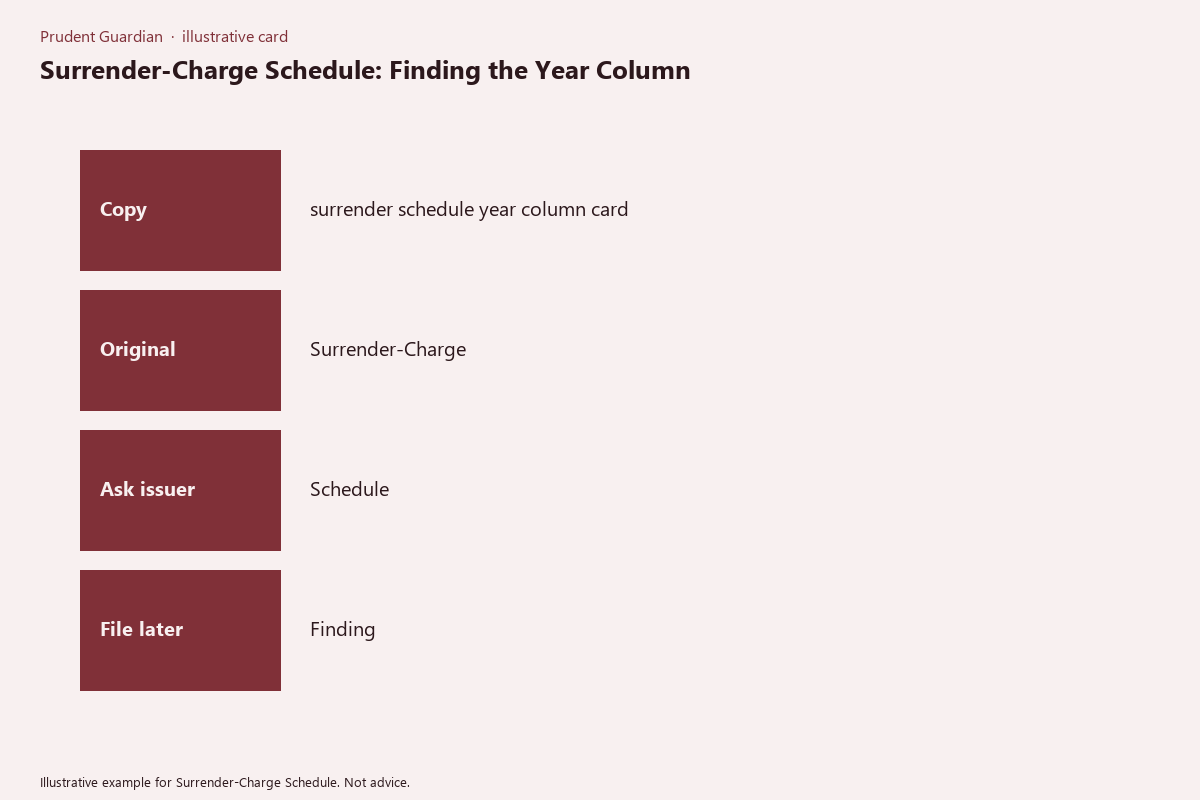
Side-margin printed schedule year column shortcut labels for quick lookup
Once you have confirmed the correct alignment of each year column, you can add shortcut labels to the side margin of your printed or digital schedule for quick, no-calculation reference whenever you need to review withdrawal terms. The below surrender-schedule year-column pocket card is a printable resource you can tuck into your policy folder or copy directly onto the margin of your schedule to standardize your labels:
| Surrender-Schedule Year-Column Pocket Card | Details | Verified (initial/date) |
|---|---|---|
| Policy/account issue date (from declaration page) | [Fill in: MM/DD/YYYY] | ____________ |
| Year 1 column date range | [Issue date] to [Issue date + 1 year minus 1 day] | ____________ |
| Year 1 column surrender charge (full withdrawal) | [Fill in % from schedule] | ____________ |
| Year 2 column date range | [Issue date +1 year] to [Issue date + 2 years minus 1 day] | ____________ |
| Year 2 column surrender charge (full withdrawal) | [Fill in % from schedule] | ____________ |
| Year 3 column date range | [Issue date +2 years] to [Issue date + 3 years minus 1 day] | ____________ |
| Year 3 column surrender charge (full withdrawal) | [Fill in % from schedule] | ____________ |
| Subsequent years (repeat rows as needed for your schedule length) | [Fill in per schedule] | ____________ |
| Annual free partial withdrawal allowance (if applicable) | [Fill in %/$ from schedule footnote] | ____________ |
For digital schedules, you can add these labels as comment boxes aligned to the left of each year column, so they are visible when you scroll through the document without covering the fee data. For printed schedules, write the date range for each year in small print in the left margin next to the corresponding column, so you can match a planned withdrawal date to the correct column in seconds without referencing your declaration page every time.
Last-page attached schedule year column verification steps for accuracy checks
Many insurers and financial institutions print the surrender-charge schedule as the final page of the core policy document, rather than a separate insert, so you will need to complete a short verification process to confirm the year columns on the attached schedule correspond to your specific policy, not a generic template. First, match the policy number printed in the footer of the last page schedule to the policy number on your declaration page to confirm you are reviewing the correct schedule for your account, not a schedule for a different policy type or rider. Second, count the total number of year columns on the schedule and cross-check with your policy disclosure’s stated surrender period length: for example, a policy with a 10-year surrender period should have 10 distinct year columns, no more, no less. Third, spot-check 2 to 3 random year column fees against the fee schedule listed in your core policy disclosure to confirm there are no printing errors: if the disclosure states Year 1 surrender charges are capped at 9%, confirm the Year 1 column on the last-page schedule lists 9% for full withdrawals. Fourth, if you have completed any policy modifications that reset the surrender period, confirm there is an addendum attached to the last page of the policy with an updated schedule reflecting the new issue date for the reset period, rather than using the original schedule for the modified policy. If you identify any discrepancies during this verification process, contact your issuer’s customer service line to request a corrected, official copy of the schedule before relying on the existing document for fee calculations.
Pull your active long-term financial product surrender-charge schedule and fill out the first four rows of the surrender-schedule year-column pocket card within the next 7 days to avoid accidental fee miscalculations.